Your photo

New background

AI Background Changer

Upload a photo and give it a new background: a solid color, a scene you describe, or a picture of your own. The subject is kept in place, and light and shadows are matched to the new setting.

The same ivory sneaker with a lime-green sole on a cluttered desk, a sage studio podium and a sunlit city street.

What Is an AI Photo Background Changer?

An AI photo background changer swaps what is behind the main subject of a picture for something new. It finds the product, person or pet in the frame, keeps it in place, and builds a new background around it. Unlike a cutout pasted on top of a backdrop, the new setting gets light, color and a shadow that fit the subject, so the result reads as one photograph.

With this AI background changer, you choose the new background in one of three ways. A solid color suits catalogs and profile pictures. A written description works when you want a place, like a marble counter or a city street. Your own background picture is the choice when the setting has to be a specific room, store or brand backdrop. Results open in the same window, so you can compare a few versions and keep the one that fits.

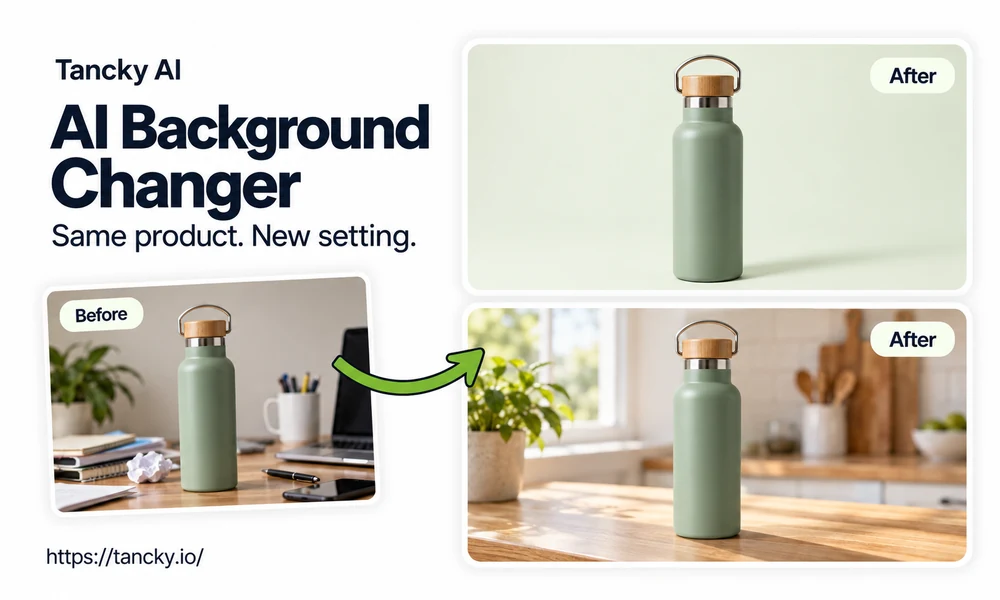
Before and after: a sage-green water bottle on a messy desk, a solid sage backdrop and a sunlit oak kitchen counter.
How it works

How to Change Photo Background with AI

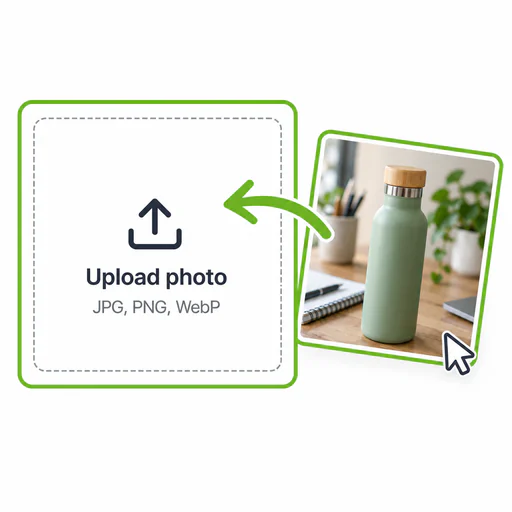
  1. A phone photo of a product being dropped into the upload area.
    Step 01

    Upload one clear photo

    Use a photo where the subject is in focus and fully inside the frame. A product shot on a kitchen table or a phone portrait in a messy room is fine, since the old background is replaced anyway. JPG, PNG or WebP up to 16 MB.

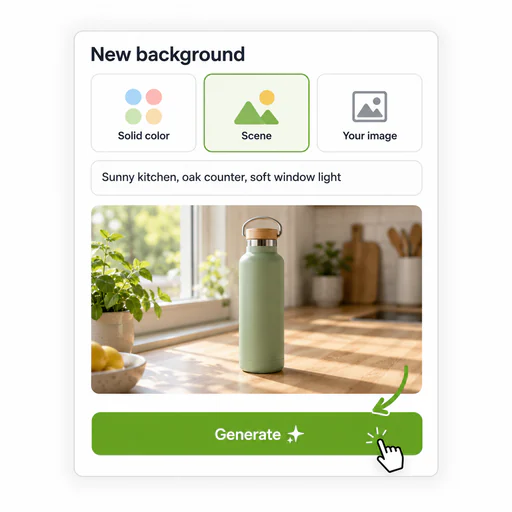
  2. The three background options, solid color, scene description and uploaded background, with the scene option selected.
    Step 02

    Choose the new background

    Pick a solid color from the palette, or type a hex code to match a brand color exactly. To place the subject somewhere, describe the scene in a sentence or start from one of the ready scenes. To use a real place, switch to Your background and upload a picture of it.

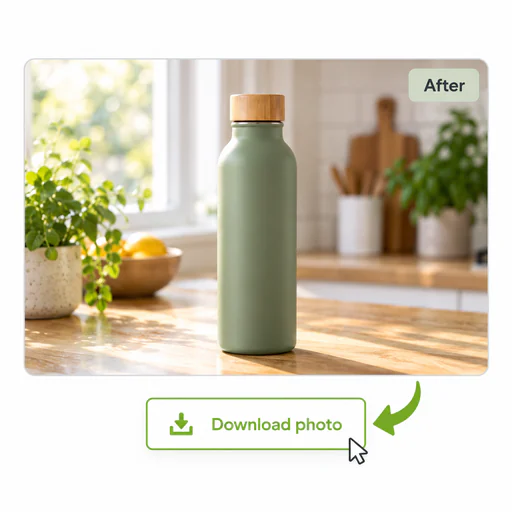
  3. A finished water bottle photo on a sunlit kitchen counter with a Download photo button below it.
    Step 03

    Generate and compare

    The new photo keeps the proportions of your original, so it drops straight into the listing or post it came from. Each run of the background changer comes out a little different. If the shadow or scale looks off, run it again before rewriting the description.

Three options

Three Ways to Change the Background of a Photo

Each option suits a different job. Here is when to use which, and what helps it work.

Solid color

Twelve preset colors cover white for catalogs, light gray and cream for a softer look, and dark tones for jewelry or metal that needs contrast. Type any hex code or use the picker, so a brand color can be matched exactly. The AI adds a light shadow so the product or person does not look pasted on.

Describe a scene

Name the surface, the place and the light. "Light oak table by a window, morning sun, plants blurred behind" gives a far more predictable result than "nice kitchen". The six ready scenes are written this way and can be edited before you generate.

Your own background

Upload a photo of your shop, studio wall or a location you shot yourself. Your photo is placed into it with matching light and perspective. Using the same background picture for every item is an easy way to make a whole product line look like one shoot.

Use cases

What You Can Do with an Image Background Changer

Three common jobs and what to watch for in each.

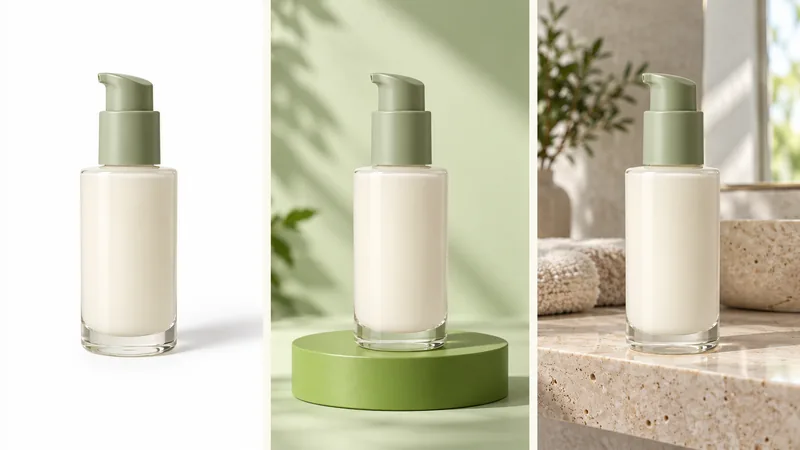
A skincare bottle shown three times: on white, on a pastel color and on a bathroom shelf.

Product photos for online stores

Shoot the item anywhere with steady light, then put it on white for the main listing image and on a colored or styled backdrop for the rest of the gallery. Marketplaces with strict pure-white rules check the exact background color, so zoom in on the edges before you upload. When you only need a transparent cutout, the AI Background Remover is the more exact tool for that job.
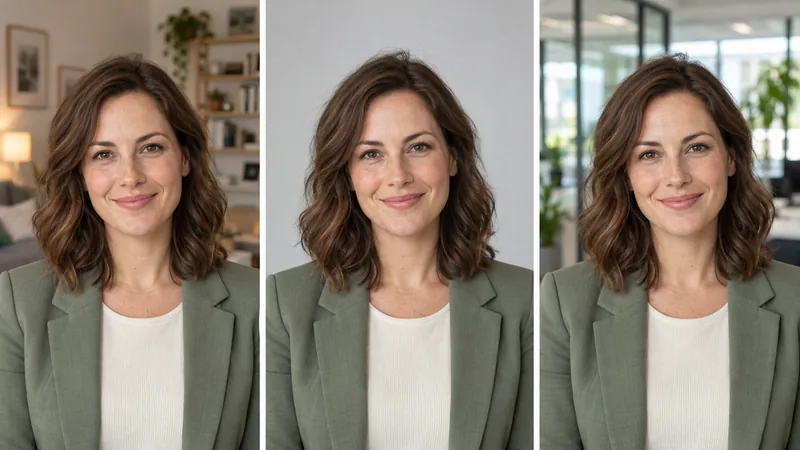
A casual portrait taken in a living room, placed on a gray studio backdrop and in a bright office.

Headshot and profile picture backgrounds

A portrait taken at home can get a plain gray backdrop or a softly blurred office for LinkedIn, a team page or a speaker bio. The instructions behind every run ask the AI to keep the face, hair and clothing unchanged, but look closely at hair edges and glasses before you post. Official ID and passport photos follow strict rules, so take those at an approved photo service.

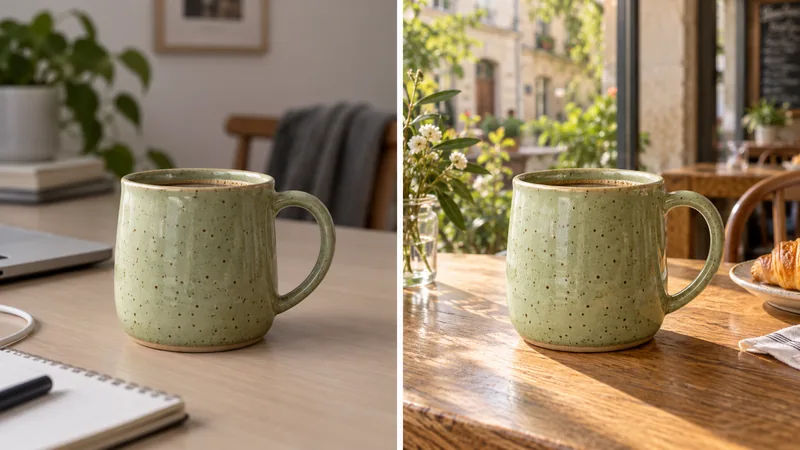
A ceramic mug moved from a plain desk to a café table by a window with warm light.

Lifestyle scenes without a location shoot

Put a mug on a café table, a backpack on a mountain trail or a candle on a bedside shelf to show the product in use. Scenes with a clear surface for the item to rest on look most convincing. Floating objects and very busy backgrounds tend to need a second try.

Who it's for

Who Uses a Photo Background Changer

People who use a background changer to get clean, consistent pictures without booking a studio.

Online sellers

Give every listing on Etsy, Shopify or Amazon the same backdrop, even when the photos were taken on different days in different rooms.

Marketers and social media managers

Turn one product shot into seasonal versions for ads and posts: a holiday table in December, a beach towel in July.

Job seekers and professionals

Replace a bedroom wall or a crowded event behind you with a neutral backdrop for a résumé, LinkedIn or a company profile.

Restaurants and food sellers

Put dishes photographed in a busy kitchen on a clean table for menus and delivery apps, keeping the food itself exactly as it was served.

Creators

Make thumbnails and covers that share one look by placing yourself in front of the same color or scene every time.

Pet owners and families

Move a good shot of your dog off the living room rug and onto a beach or a studio backdrop for a card or a framed print.

Free to try

Try the AI Background Changer Free

Upload a photo, pick a color, a scene or your own background, and see the result in the same window.

AI Background Changer FAQ

Answers about free use, keeping the subject intact, writing scene descriptions and using your own background.