Your photos 0/2

Optional
0/4096

AI Wedding Photo Generator

Create realistic wedding photos from two separate selfies. Keep both faces true to life, try on gowns and suits, and place yourselves in a garden, cathedral, beach or vintage film scene with one click.

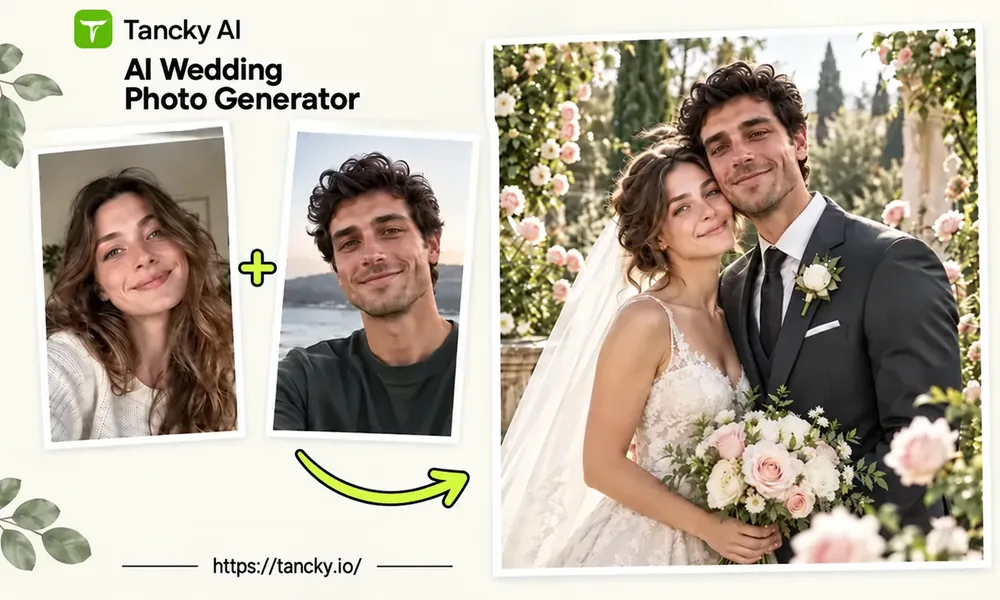
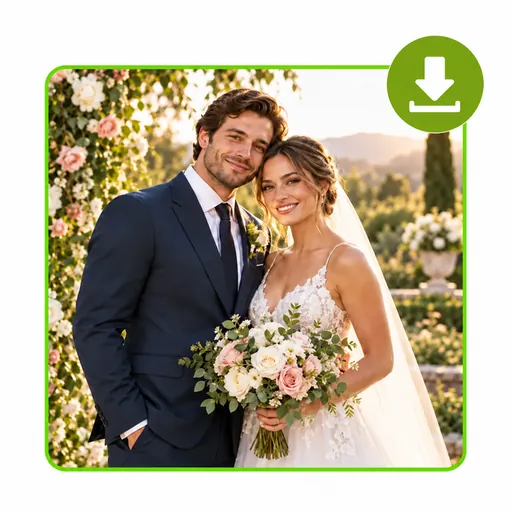
Two casual selfies transformed into a realistic garden wedding portrait with a white gown and a navy suit.

What Is an AI Wedding Photo Generator?

An AI wedding photo generator takes ordinary photos of you and your partner and turns them into a wedding portrait with new outfits, a new location and new light, while your faces stay the same. You don't need a picture of the two of you together. Two separate selfies are enough, even if one was taken last week in your kitchen and the other five years ago on holiday.

People come to it for different reasons. Some want to see a gown or a suit on themselves before booking fittings. Some are planning engagement photos and want to test a few locations first. Others eloped, married at city hall, or married decades ago and never had a proper wedding portrait taken. You describe the picture you have in mind and the generator builds it around your faces. If the first try isn't right, change one line in the prompt and run it again.

AI wedding photo generator example: two separate selfies combined into one realistic wedding portrait.
How it works

How to Make AI Wedding Photos in 3 Steps

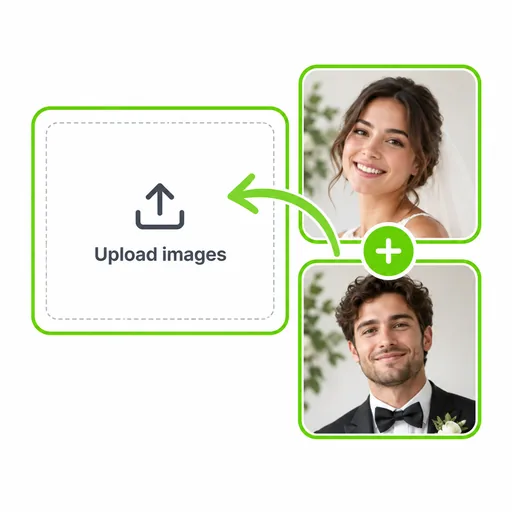
  1. Two separate selfies with a plus sign and an arrow pointing into the upload area.
    Step 01

    Add a photo of each partner

    Put one photo in Person A and the other in Person B. Choose pictures where the face is sharp, turned toward the camera and not covered by sunglasses or hair. JPG, PNG or WebP up to 16 MB each. Only have your own photo? Use Person A on its own.

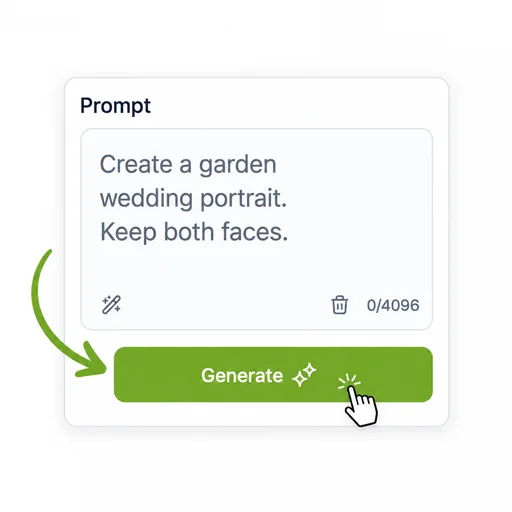
  2. A wedding prompt typed into the editor, with an arrow pointing to the Generate button.
    Step 02

    Pick a venue or write your own

    Each preset under the prompt box drops a full prompt in, and you can edit any word of it. Or write your own: where you are, what each of you wears, how you stand. Type @ to point at one photo, like "@Image2 in a navy three-piece suit".

  3. The finished AI wedding photo shown with a download icon in the corner.
    Step 03

    Choose a frame and generate

    4:5 or 3:4 suits invitations and Instagram posts, 9:16 fits phone wallpapers and stories, 16:9 works as a wedding website header. Each run comes out a little different, so if the first one isn't quite you, generate again before changing the prompt.

Why this tool

What This AI Wedding Photo Generator Does Well

Three details that matter when the faces in the picture are your own.

A separate slot for each partner

Each partner gets a labelled upload, so the AI knows which face belongs to whom and you can dress each person differently in the prompt. With two photos it works as an AI couple wedding photo generator. With one, it makes a solo bridal or groom portrait.

Try on a dress you found online

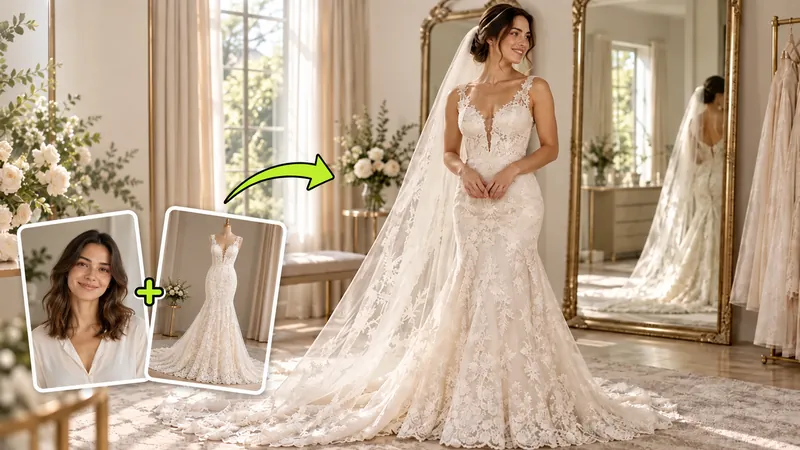
Saved a gown or a suit from a shop page? Add its photo as the second image and write "@Image1 wearing the dress from @Image2". The overall style carries over, while lace and fit are the AI's own interpretation, so treat it as a preview for shortlisting.

Presets you can read and edit

Garden ceremony, Cathedral, Beach wedding, Vintage film, Engagement shoot and Indian wedding each fill the box with a complete prompt. Change the flowers or the suit color and generate. You get a result faster, and you see what a working wedding prompt looks like.

Ideas

Three Ways Couples Use AI Wedding Pictures

Common reasons to make AI wedding pictures, and what to put in the prompt for each.

Two casual selfies turned into a garden wedding portrait with a white gown and a navy suit.

Virtual wedding dress try-on

Start with a clear photo of yourself, waist up or full length. Describe the dress the way a shop assistant would: neckline, sleeves, skirt shape, fabric. "Off-shoulder satin gown, fitted bodice, A-line skirt, no train" gets much closer than "a beautiful dress". Make three or four versions and look at them side by side; you'll know which silhouettes to ask for at the bridal shop. Suits work the same way: color, lapels, buttons, tie or bow tie.
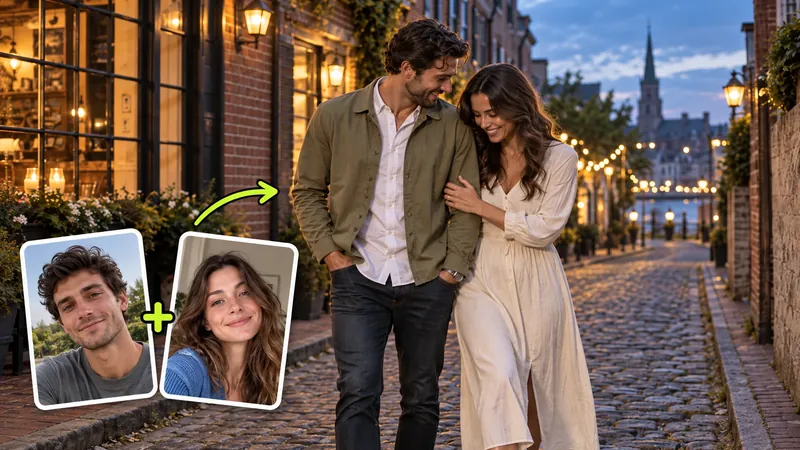
Separate portraits of a couple merged into a seaside engagement photo on a terrace with colorful houses behind them.

AI engagement photos and pre-wedding shots

Before you pay for a pre-wedding shoot, test the location. Put the same two selfies on a city street at dusk, in a wheat field and on a rocky coast, then send the one you both like to your photographer as a reference. The images also work on save-the-date cards and as the banner on a wedding website, where a 16:9 or 3:2 frame fits best.

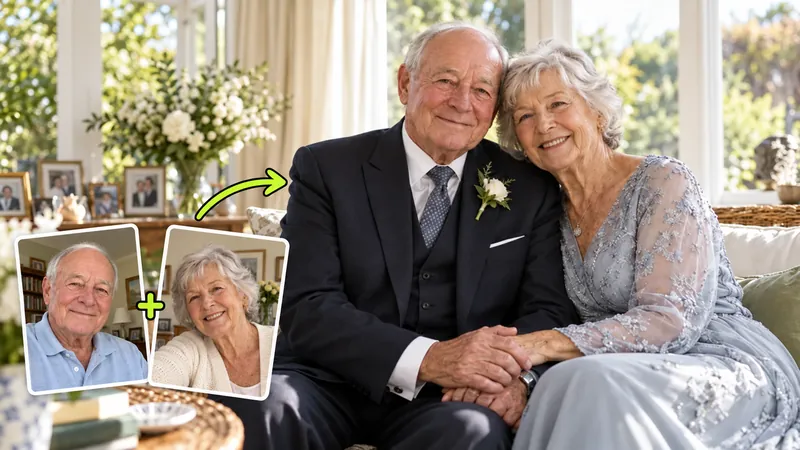
Portraits of a mature couple combined into a warm keepsake photo at home.

The wedding portrait you never got

Couples who eloped, signed papers at city hall or married in the 1970s with one blurry snapshot often have no formal wedding picture at all. Use recent photos of both of you, or scans of old ones, and describe the wedding you would have liked: a small church, a garden, a plain studio backdrop. For a 25th or 50th anniversary, it's a gift that tends to end up framed on a shelf.

Who it's for

Who Makes AI Generated Wedding Photos?

A few of the people who get the most out of it.

Newly engaged couples

Settle the look before you start booking: garden or ballroom, ivory or bright white, suit or tux. Two people agree on a picture much faster than on a shared Pinterest board.

Brides and grooms shopping for attire

Shortlist silhouettes and colors on your own photo, then bring the screenshots to your fitting so the consultant knows where to start.

Long-distance couples

If most of your relationship has happened in two different cities, you probably have few photos together. One selfie each is enough for an engagement announcement.

Couples who eloped

Courthouse weddings and small ceremonies are often photographed on a friend's phone. Make the formal portrait afterwards and send it to the family who couldn't be there.

Anniversaries and vow renewals

Recreate your wedding for a 10th, 25th or 50th anniversary with photos of you both today, or use old scans if you'd like to look the way you did back then.

Planners and creators

Show a client a venue concept with their own faces, or draft save-the-date and social visuals before the real shoot. Always ask the couple before uploading their photos.

Reviews

What Couples Say About Their AI Wedding Photos

Brides, grooms and planners on how the AI wedding photo generator helped with dress try-ons, engagement photos and wedding portraits they never got to take.

  • Virtual dress try-on

    I had three bridal appointments booked and no idea whether a mermaid or an A-line would suit me. The virtual wedding dress try-on put six necklines on my own photo in one evening, and I walked into the first boutique knowing exactly what to ask for.

    Emily CarterBride-to-be, Austin
  • AI engagement photos

    We couldn't agree on a location for our pre-wedding shoot. We made AI engagement photos from the same two selfies on a city street, in a wheat field and on the coast, then sent the coast version to our photographer as the brief.

    Hannah KimNurse, Seattle
  • Courthouse wedding

    We married at city hall with only phone snapshots. Two years later I uploaded two recent photos and wrote "small stone chapel, late afternoon light, ivory gown, grey suit". The second try looked like us on a wedding day we never had. It's framed in our hallway now.

    Sofia AlvarezMarried at city hall, Chicago
  • Better likeness

    My first result gave me a narrower nose. I swapped my arm's-length selfie for a photo taken from a few meters away and added "keep my face exactly as in the photo". The next AI wedding photo looked like me, down to the small scar on my eyebrow.

    Marcus JohnsonGraphic designer, Atlanta
  • Long-distance couple

    Kate and I have spent most of our relationship in different time zones, and our only shared photos were video call screenshots. One selfie each went in, and we came out standing together on a beach at golden hour. It became our engagement announcement.

    Ethan WalkerLong-distance fiancé, Denver
  • Vintage film preset

    Other apps gave me glossy, plastic skin. The Vintage film preset kept my freckles and added real grain. I tested prompts with my free trial credits, then bought a small pack to make a full set of AI wedding pictures for my blog.

    Grace NguyenWedding blogger, San Diego
AI wedding photos

See Your Wedding Portrait Before the Big Day

Upload two selfies and receive a realistic wedding portrait with true-to-life faces, elegant wedding attire and the venue of your choice. New accounts include free trial credits.

AI Wedding Photo Generator FAQ

Photo tips, prompts, pricing and what to do when the result doesn't look like you.

Upload one photo to Person A and the other to Person B, pick a preset or write a prompt, and press Generate. The photos don't need to match. Different cameras, backgrounds and years are fine, because the generator only uses them to learn each face. To give one person their own instructions, click the @ label on their photo, for example "@Image1 in a lace gown, @Image2 in a grey suit".