
Models

Output format

Images (Optional)

Prompt
0/4096

Not sure what to write? Try an example:

GPT Image 2.6

Make looping GIFs and editable SVG vectors from one prompt, or turn any photo into menus, flyers and infographics with clean text, up to 50% faster with 4K export.

Animated GIF of a cute smiling coffee cup with rising steam, made with GPT Image 2.6.

What Is GPT Image 2.6?

GPT Image 2.6 is OpenAI's image generation and editing model released on November 4, 2026, the same update that brought ChatGPT Images 2.6. It returns images up to 50% faster than the previous version, plans the layout before it draws, and can now export animated GIFs and SVG vector files. On this page you can start from your own photo, or switch the output format to GIF or SVG and create a looping animation or an editable vector graphic from a prompt alone.

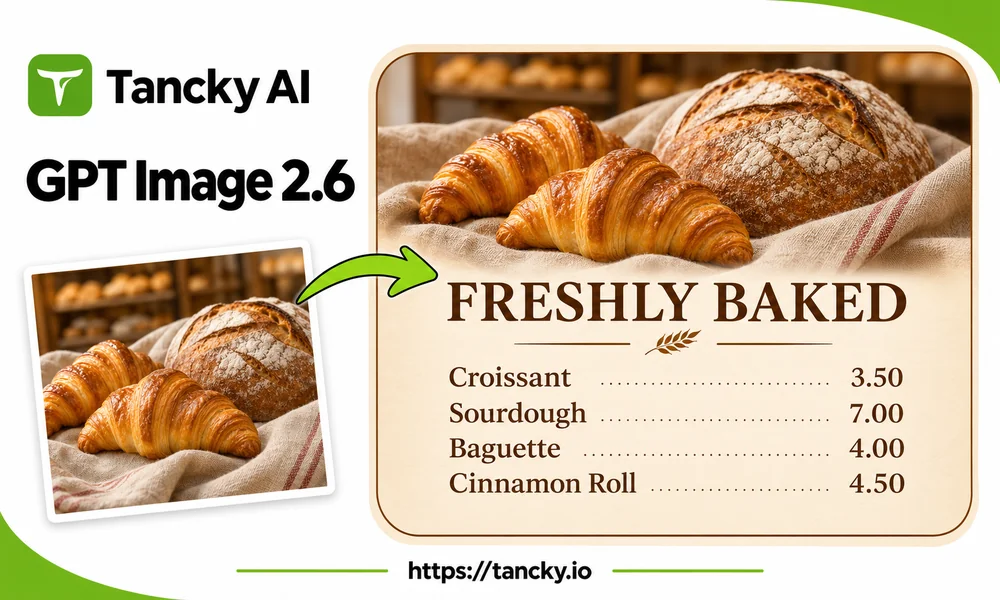
Bread and croissant photos transformed into a bakery price poster with the Tancky AI logo.
What's new

What's New in GPT Image 2.6

Version 2.6 adds two new output formats and improves the designs that used to fail most often: pages full of text, where names came back misspelled and lines ended up crowded.

Up to 50% faster

Less waiting on each run means you can try a prompt, adjust one line and run it again without losing your train of thought.

Animated GIFs from one prompt

Describe a subject and a simple motion, choose 2 to 16 frames and how long each one shows, and get a smooth looping GIF for stickers, banners and loading animations, ready to post or drop into a chat.

Editable SVG vectors

Logos, icons and flat illustrations come back as clean vector files you can open in Figma or Illustrator, recolor and scale to any size without blur.

Plans the layout, keeps text readable

The model works out where the title, the picture and each block of text go before it renders, and words you put in quotes stay spelled the way you typed them.

New in 2.6

GPT Image 2.6 GIF and SVG Generator

Pick GIF or SVG above the prompt box and describe what you want. No upload or design software needed.

Animated GIF of a cafe storefront with a green striped awning and confetti falling, made with GPT Image 2.6.

Looping GIFs for posts and promos

This shop window animation came from one sentence: a cafe storefront with confetti falling, flat illustration, seamless loop. Set any frame count from 2 to 16 and any frame duration from 20 to 2000 milliseconds; 16 frames at 100 milliseconds each make a smooth loop for social posts, emails and chat stickers.
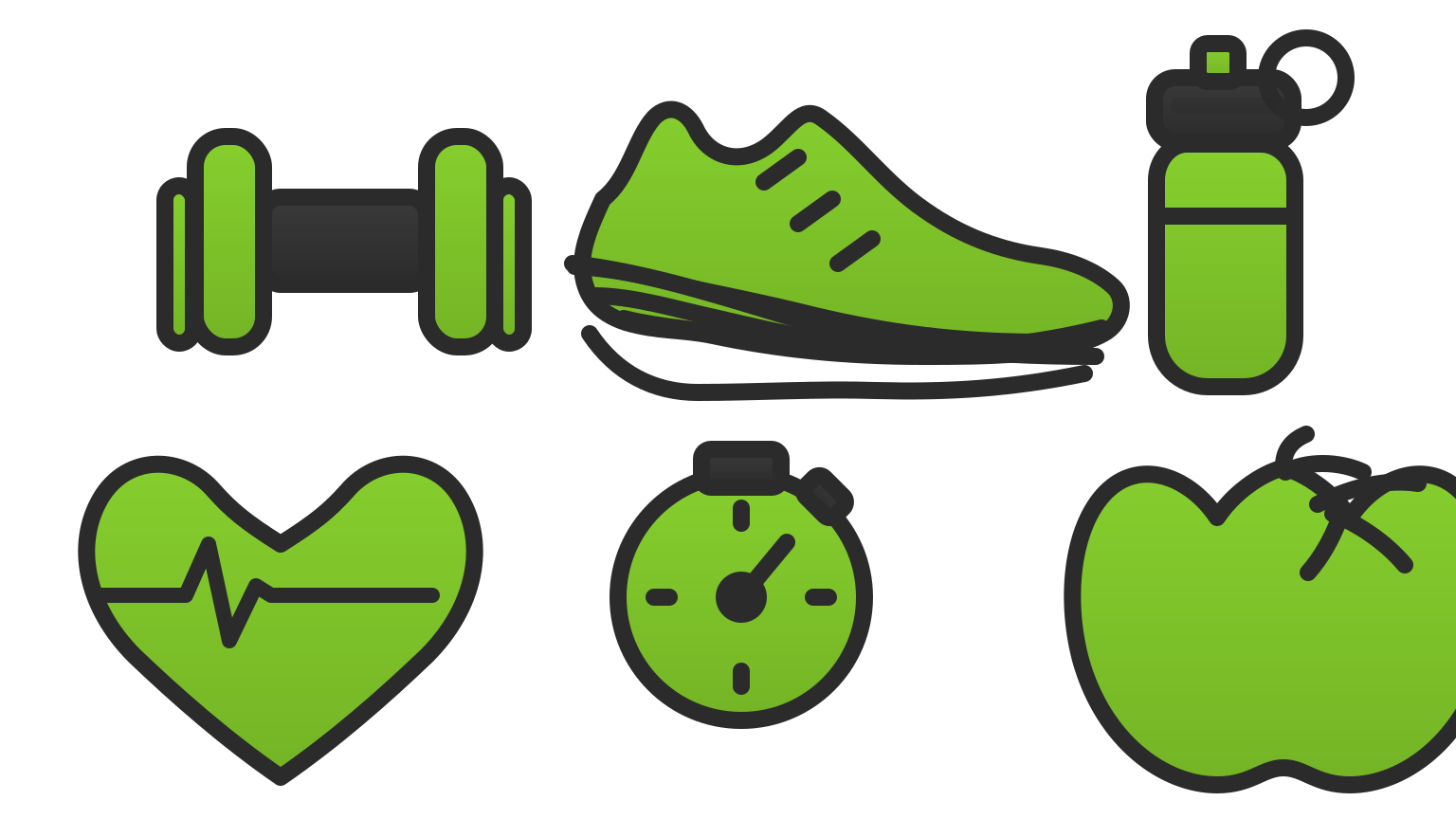
SVG icon set for a fitness app with a dumbbell, running shoe, water bottle, heart, stopwatch and apple in green and dark gray.

SVG icons and logos you can edit

Ask for a set of icons with the same stroke width and two colors, and you get one SVG file with separate shapes for every icon. Change a color or resize it in any vector editor and it stays sharp.

What you can make

Text-Heavy Designs From a Single Photo

Three tasks where the faster speed and the layout planning make the most difference.

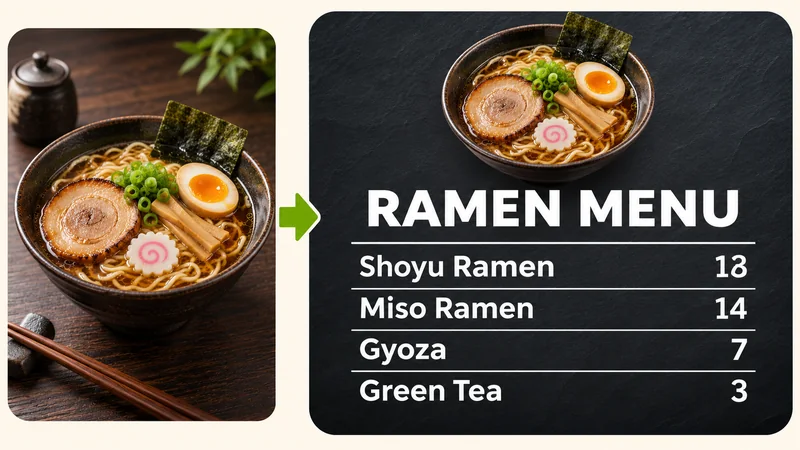
A bowl of ramen photo turned into a menu board listing four dishes with prices.

Menus and price boards

Upload a photo of a dish or drink and list your items with prices in the prompt. You get a finished board with the photo on top and every line in order, ready for a counter screen or a printout.

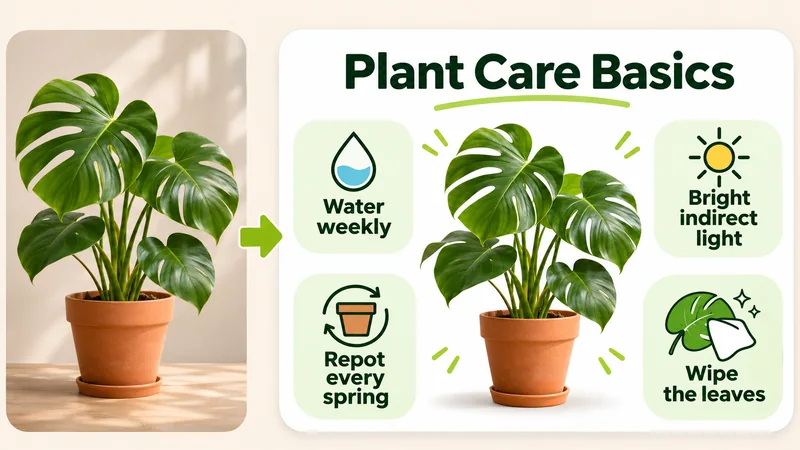
A houseplant photo turned into an infographic card with four care tips and small icons.

Infographics and explainer cards

Give the model a photo and four or five short points, and it arranges them into a card with a title, icons and labels around the picture, sized for a post or a slide.

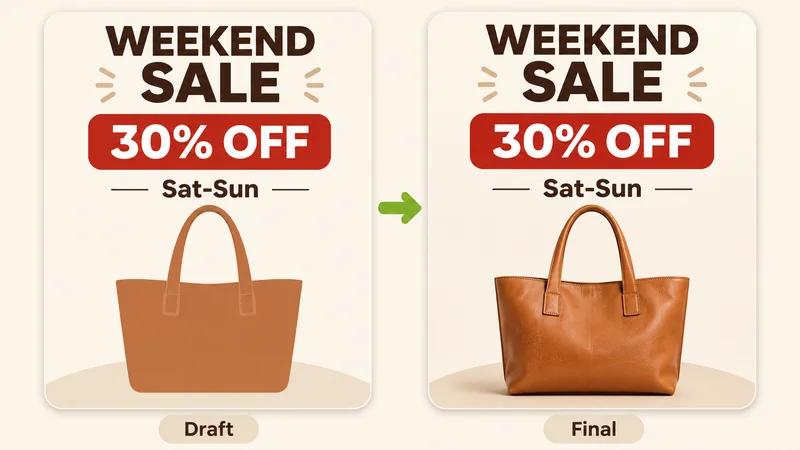
A rough low-quality draft of a sale flyer next to the sharper final version with the same layout.

Rapid layout drafts, then high-res final polish

Skip the trial-and-error wait: generate fast, low-latency drafts to verify wording, line breaks, and visual hierarchy quickly, then render the approved design in crisp 4K for print or display.

Three steps

How to Use GPT Image 2.6 Online

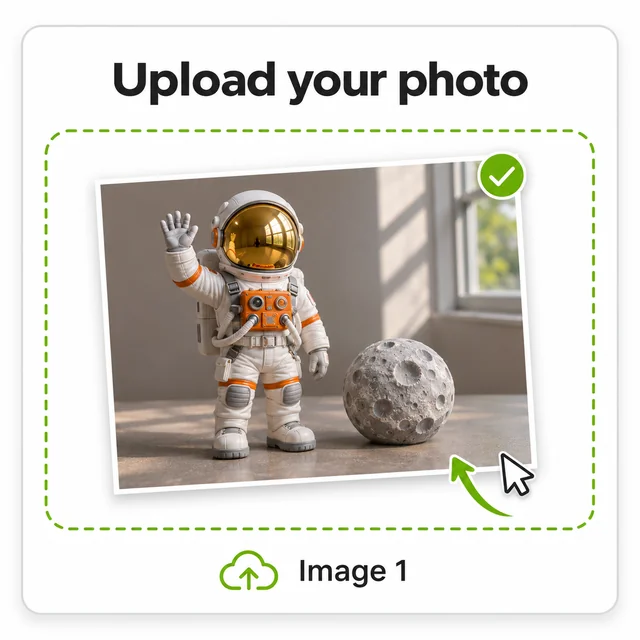
  1. An astronaut toy and moon model tabletop photo inside the upload area.
    Step 01

    1. Upload your photo

    Upload a photo of an astronaut toy and a moon model. This everyday tabletop shot becomes the starting point for a cinematic exhibition poster.

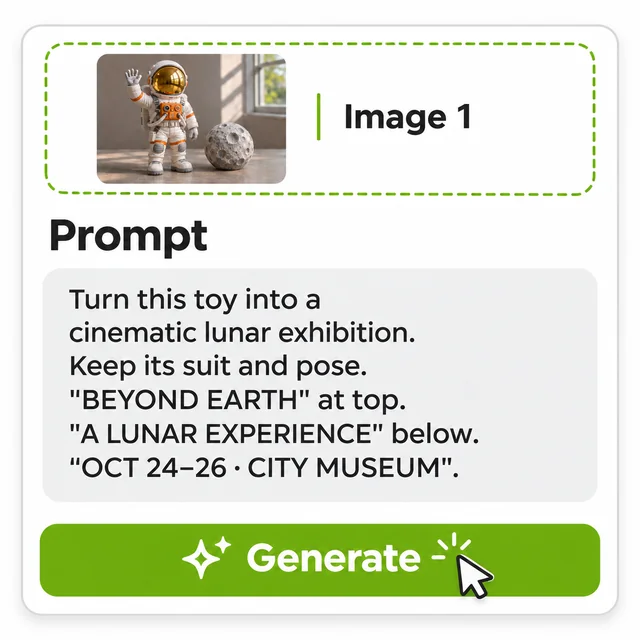
  2. The astronaut reference and a prompt specifying a cinematic lunar exhibition poster with its title, subtitle, date and venue.
    Step 02

    2. Write the exact text and layout

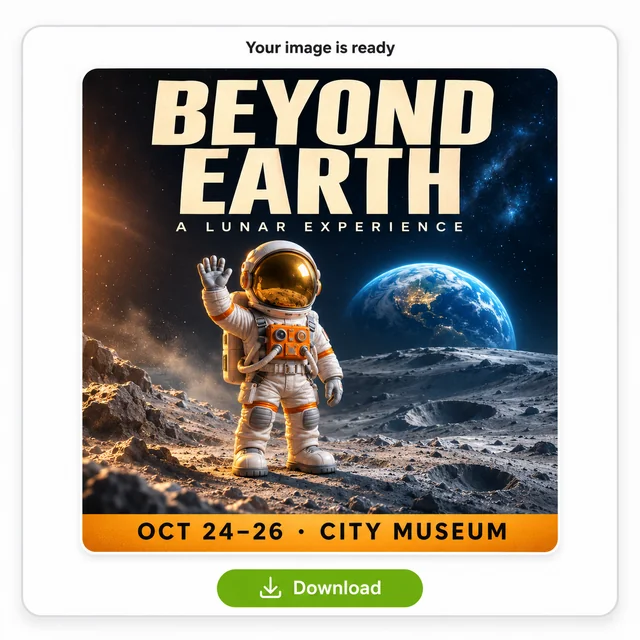
    Ask for a cinematic lunar exhibition while keeping the toy’s suit and pose. Specify “BEYOND EARTH” at the top, “A LUNAR EXPERIENCE” below, and “OCT 24–26 · CITY MUSEUM” for the event details.

  3. BEYOND EARTH exhibition poster with the astronaut on a dramatic lunar landscape, Earth on the horizon, event details and a download button.
    Step 03

    3. Check the words and download

    Check the preserved suit and pose, the lunar scene, and every line of the poster. Refine any wording that needs attention, then download your chosen version.

Who it helps

Best Uses for Text-Heavy AI Images

People who need clear text on an image and do not want to open a design app for it.

Cafes and restaurants

Daily specials boards, seasonal menus and price cards made from photos of your own dishes.

Teachers and creators

Explainer cards, step-by-step visuals and slide images where each label has to be spelled right.

Small shops and sellers

Sale flyers, price tags and product cards with the offer, the price and the dates in the right places.

Layout-Aware AI Image Design

Create Text-Ready Designs with GPT Image 2.6

Turn dish and product photos into menus and flyers, or a single prompt into a looping GIF or an editable SVG, without opening a design app.

GPT Image 2.6 FAQ

Answers about GIF and SVG output, layout planning, text rendering, prompt formulas and commercial use.