Models

Images (Optional)

Prompt
0/4096

Not sure what to write? Try an example:

Nano Banana 2

Generate new visuals or edit photos with Google's Gemini 3.1 Flash Image model, rendering sharp on-image typography, localizing signs, and turning sketches into realistic renders.

A pencil sketch of a roadside diner turning into a blue-hour photo of the same diner, with a neon sign reading NANO BANANA 2.

What Is Google Nano Banana 2 (Gemini 3.1 Flash Image)?

Nano Banana 2 is the model name Google designated for Gemini 3.1 Flash Image, released in February 2026 to deliver Pro-tier capabilities at high generation speeds. It generates visuals from text prompts and precisely edits uploaded reference photos. Compared to earlier iterations, it follows complex multi-clause instructions with higher fidelity and renders clean, legible typography directly inside images. This makes it ideal for projects where typography and layout are critical: promotional posters with bold headlines, translated multilingual storefront signs, labeled educational diagrams, and commercial mockups with brand slogans. Create directly in your browser, pick your preferred aspect ratio and resolution, and download high-resolution outputs.

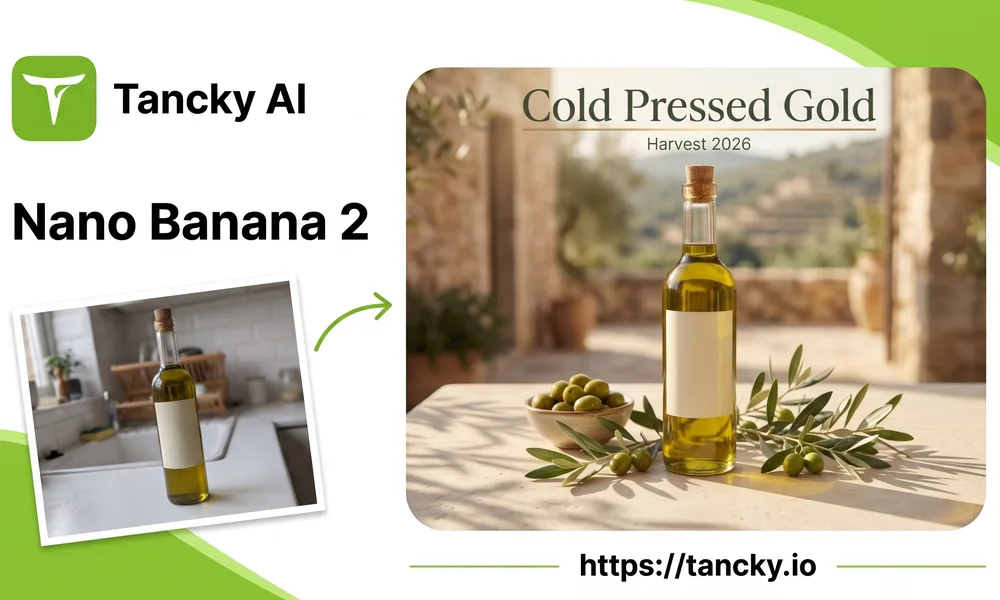
A plain photo of an olive oil bottle on a kitchen counter turned into a poster headlined Cold Pressed Gold by Nano Banana 2, with the Tancky AI logo and the site address.
Core Capabilities

Nano Banana 2 AI for Images With Words in Them

Four high-frequency workflows where crisp lettering and consistent composition eliminate the need for manual graphic design tools.

Accurate on-image typography

Enclose required text in quotation marks and designate its placement. Short headlines, price tags, and packaging labels usually come out as spelled, which cuts down on corrections afterward.

In-place sign and menu translation

Upload a storefront sign, menu, or package and translate the copy into Spanish, French, or another language while preserving the original typography style, color palette, and layout structure.

Sketches to realistic product renders

Transform pencil concept sketches into photorealistic studio renders and rough notes into structured infographics. Specify materials, lighting conditions, and finish details in your prompt.

Flexible aspect ratios and banners

Choose from versatile framing options spanning 1:8 vertical banners to 8:1 wide panoramic strips, or select auto. Run a single prompt across multiple formats to produce cohesive social posts, stories, and display ads.

Practical Examples

Nano Banana 2 Image Generator Examples

Three real-world tasks where legible lettering and compositional accuracy matter as much as visual quality.

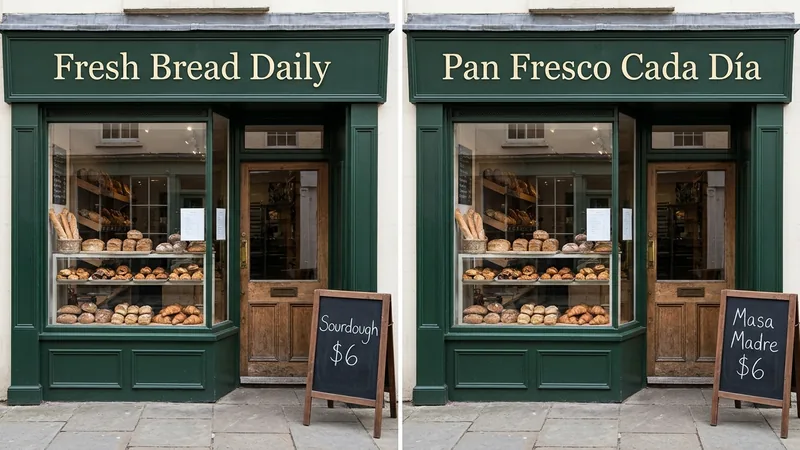
A green bakery storefront with the sign Fresh Bread Daily and a chalkboard reading Sourdough $6, next to the same storefront with the sign Pan Fresco Cada Día and the chalkboard Masa Madre $6.

Localize a storefront sign

Request the same storefront with the primary sign and sidewalk chalkboard translated into Spanish. Exterior paint, lettering style, window display, and camera angle stay close to the original, so you can preview localized branding before physical production.
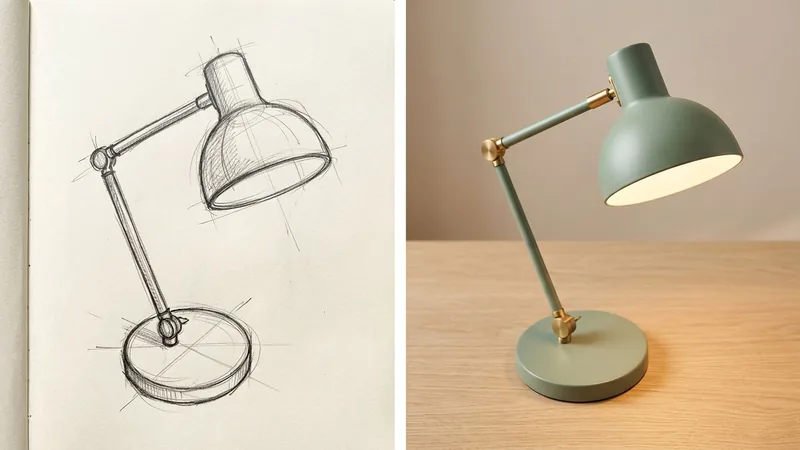
A pencil sketch of a desk lamp in a sketchbook next to a photo of the same lamp in matte sage green metal with brass hinges on a wooden desk.

Turn a sketch into a product photo

Upload a hand-drawn pencil sketch and define the material finishes, such as matte sage green metal with brass hinges. The render keeps the proportions of your drawing, making it easy to pitch concepts to clients before building prototypes.

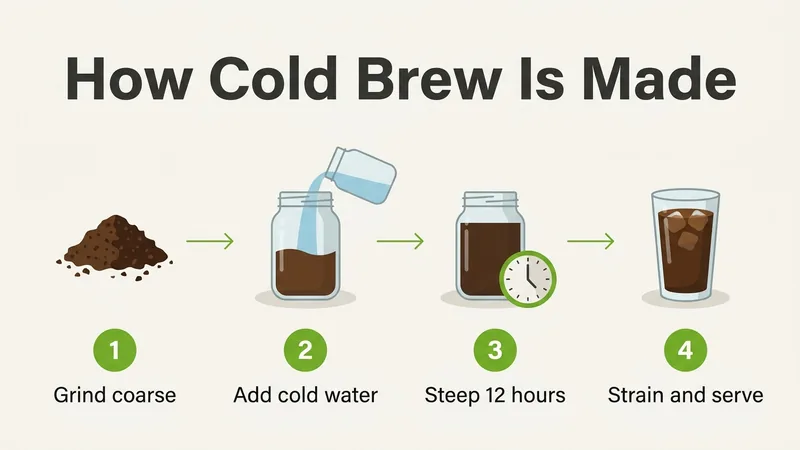
An infographic titled How Cold Brew Is Made with four numbered steps: Grind coarse, Add cold water, Steep 12 hours, Strain and serve.

Build an infographic from simple notes

Provide a title and ordered process steps. The model arranges them with cohesive icons, numbers, and direction arrows. Keep captions concise for crisp readability, and verify key facts before publishing.

Step-by-Step Guide

How to Use Nano Banana 2 Online Free

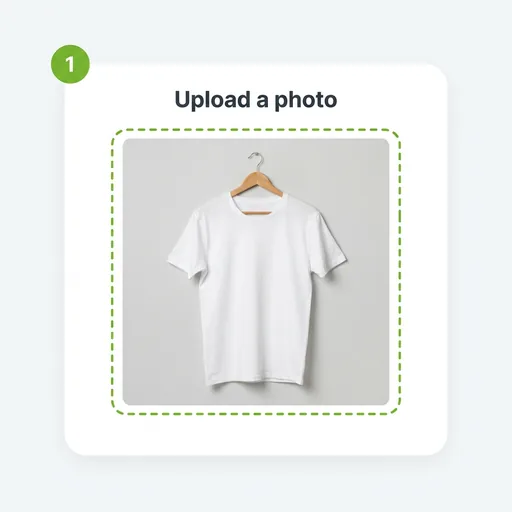
  1. A plain white T-shirt on a wooden hanger in the upload area, marked as step 1.
    Step 01

    1. Upload reference photo or start from text

    Upload a product photo, sketch, or sign you want to modify. To generate an image purely from scratch, skip the upload and type your prompt directly.

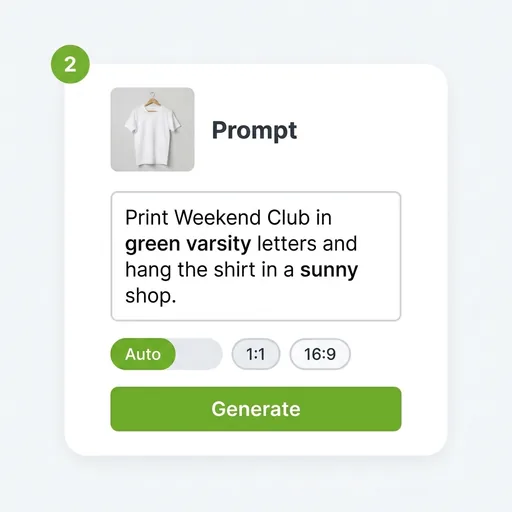
  2. The T-shirt thumbnail above a prompt asking to print Weekend Club in green varsity letters and hang the shirt in a sunny shop, with a Generate button.
    Step 02

    2. Define scene details and exact wording

    Describe your desired scene, and place any exact lettering inside quotation marks (e.g. "Weekend Club"). Select your preferred aspect ratio and resolution, or start with 1K for initial drafts.

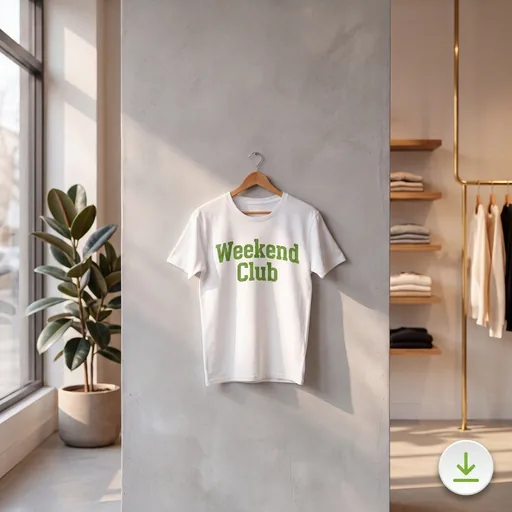
  3. The same white T-shirt printed with Weekend Club in green varsity letters, hanging in a sunny clothing shop, with a download button in the corner.
    Step 03

    3. Inspect typography and export

    Review on-image spelling and composition in the preview. Once the lettering is verified, generate in higher resolutions (2K or 4K) and download the full-fidelity result.

Model Comparison

Nano Banana 2 vs Pro vs 2.1: Which to Use

Google provides several models under the Nano Banana banner. Here is how this version compares with the alternatives.

Nano Banana 2 for fast generation with legible text

Engineered to deliver Pro-grade text rendering and subject consistency at Flash generation speeds. Best suited for posters, translated signage, mockups, and fast iterative workflows where text clarity is paramount.

Nano Banana Pro for maximum factual accuracy

Recommended by Google for high-fidelity tasks that demand strict factual accuracy and dense schematic diagrams.

Nano Banana 2.1 for latest enhancements

Nano Banana 2.1 represents Google's subsequent iteration and official recommendation for new builds, with lower credit costs on our platform. Both versions are available so you can compare outputs side by side.

On-Image Typography · Sketch to Render · Auto-Refund on Failed Tasks

Create High-Impact Visuals With Nano Banana 2

Upload a reference photo or write a prompt, enclose your required lettering in quotes, and download the version that reads right.

Nano Banana 2 FAQ

Direct answers regarding free access, content guidelines, comparisons with Pro and 2.1, credit policies, and commercial licensing.