Models

Images (Optional)

Prompt
0

Not sure what to write? Try an example:

Seedream 5.0 Pro

ByteDance's Seedream 5.0 Pro for images that carry information: infographics, menus and posters with exact text in more than a dozen languages, photo edits that follow the marks you draw, and true-to-life light. Export up to 2K.

Giant cobalt blue metal letters reading Seedream 5.0 Pro, edged with teal light, rising above a red sandstone canyon at sunset with hot air balloons in the distance.

What Is ByteDance Seedream 5.0 Pro?

Seedream 5.0 Pro is the flagship image generation and editing model from ByteDance's Seed team, released in 2026. It is built for images that have to carry information: a classroom poster with labeled stages, a menu with prices, a product image with five selling points, or the same banner in Spanish, French and Japanese. It also reads marks you draw on a photo, so you can circle a corner and ask for a lamp there instead of describing the spot in words. Portraits, food and products keep natural light and texture, which matters when the result sits next to real photos. On this page you can start from a prompt or your own photos, check the layout and spelling at 1K, and download the 2K version you print or publish.

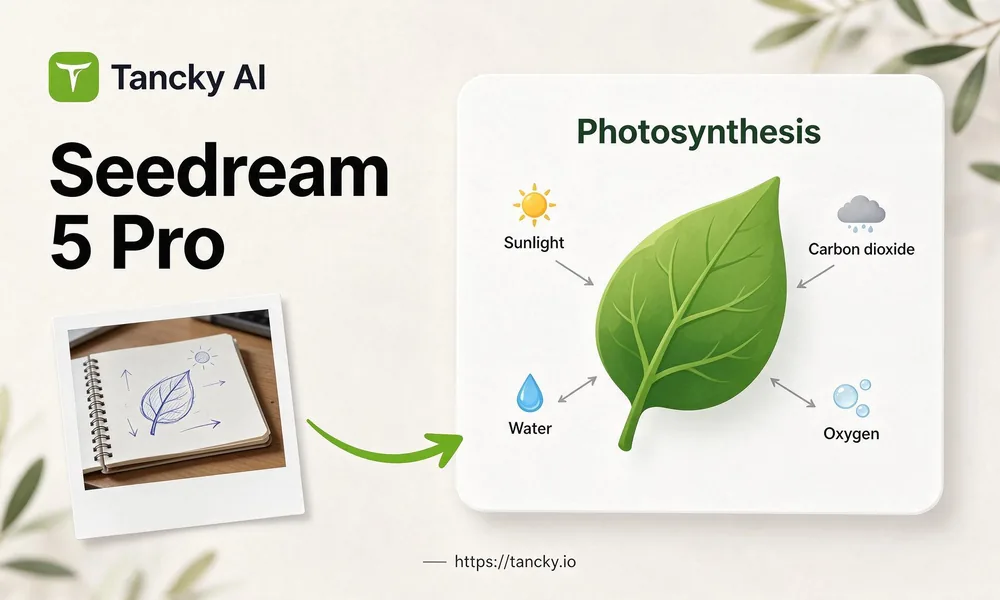
A notebook sketch of a leaf with handwritten arrows turned by Seedream 5.0 Pro into a clean labeled infographic titled Photosynthesis, with the Tancky AI logo and the site address.
What it does well

Seedream 5.0 Pro Features

Reach for Pro when an image has many parts that must be right at once: the words, where things sit, faces and light.

Infographics with many labels

Give it four to six stages, steps or facts with short labels, and it arranges them into one readable chart, timeline or diagram.

Edits that follow your marks

Circle an area, draw an arrow or sketch a rough shape on the photo. The change goes where you marked it, and the marks can be cleaned up in the same run.

Text in more than a dozen languages

Write headlines and labels directly in Spanish, Japanese, German, Arabic and more, so each market gets its own version of one design.

Photographic light and skin

Portraits, food and products come out with believable shadows, reflections and skin texture, so they sit well next to real photos.

Examples

Seedream 5.0 Pro Examples

Three jobs where the words, the layout and the position of every element have to be right together.

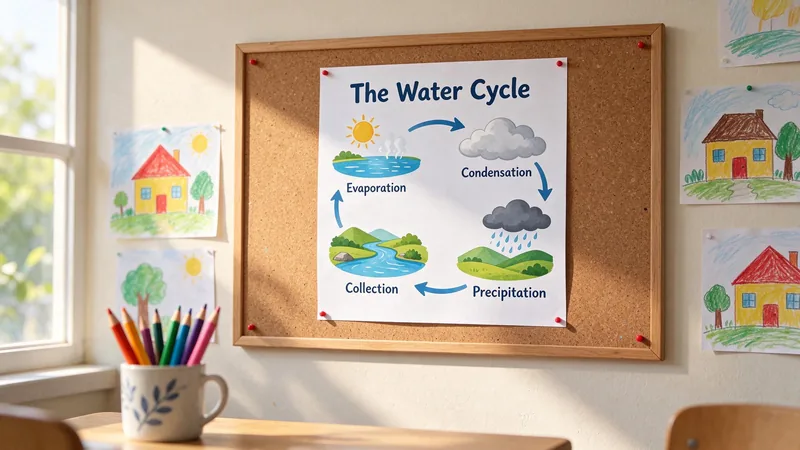
A printed infographic titled The Water Cycle pinned to a classroom corkboard, showing Evaporation, Condensation, Precipitation and Collection in a loop.

Seedream 5.0 Pro infographic generator for lessons and reports

List the stages and a short label for each, choose a portrait ratio, and get a poster for a classroom wall or a page in a report. A teacher can make one per topic without opening a design app.
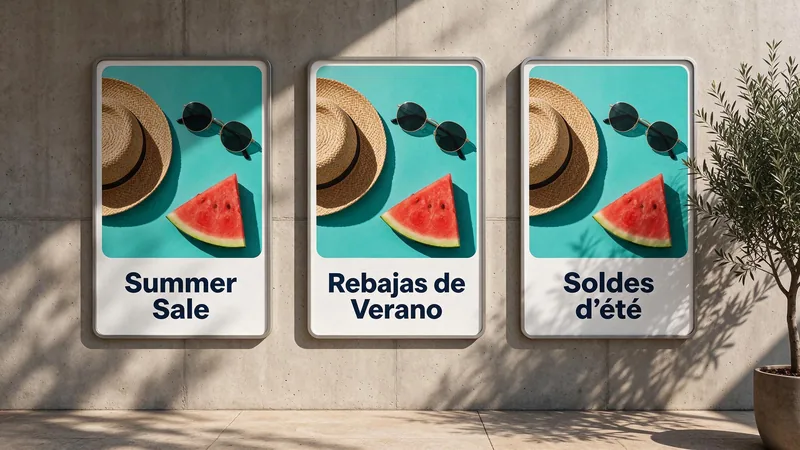
Three matching summer sale posters side by side with the headlines Summer Sale, Rebajas de Verano and Soldes d'été.

One poster with multilingual text

Keep the photo, layout and colors, and change only the headline inside the quotes. Shops and brands selling in several countries get a matching version for each market in a few runs.

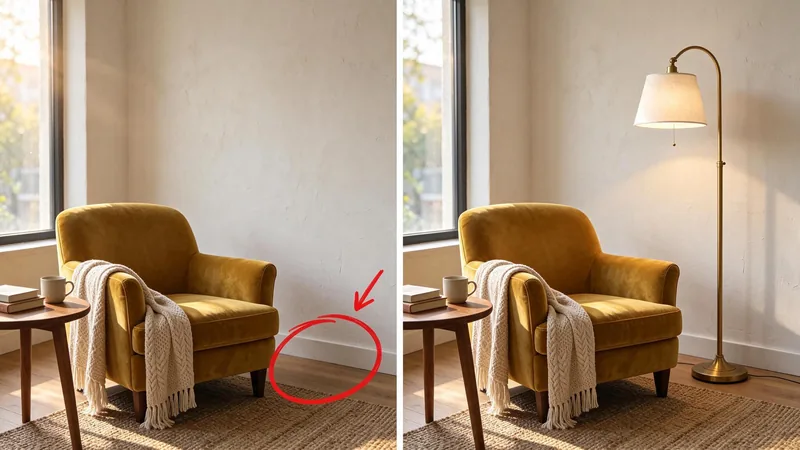
A reading corner photo with a red circle drawn beside the armchair, next to the same corner with a brass floor lamp in the circled spot and the mark removed.

Edit a photo by drawing on it

Circle the empty spot beside a chair and ask for a floor lamp there. The mark says where and the prompt says what, which helps with room styling, product placement and client revisions.

Three steps

How to Use Seedream 5.0 Pro Online

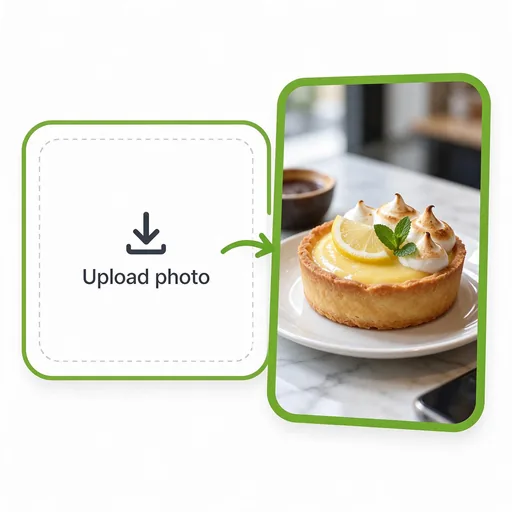
  1. A photo of a lemon tart on a marble counter being added to the upload area.
    Step 01

    1. Upload a photo or start from a prompt

    Add the photo you want to build on, here a lemon tart on a marble counter. For an infographic or a poster from scratch, skip the upload.

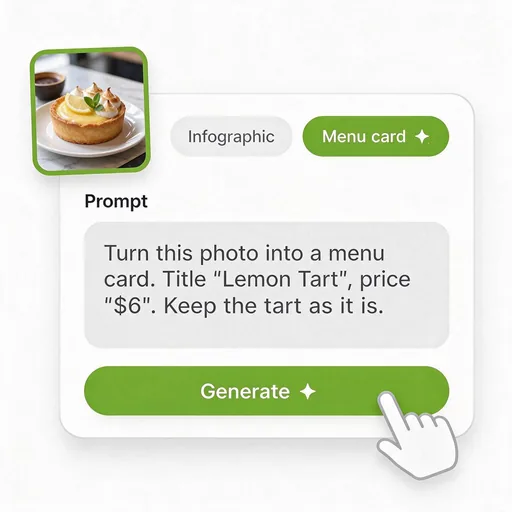
  2. A prompt card with the Menu card preset selected, asking for the title Lemon Tart and the price $6.
    Step 02

    2. Describe the layout and quote every word

    Pick a preset or write your own: what the image is for, where each element goes, and the exact text in quotes, such as the title "Lemon Tart" and the price "$6".

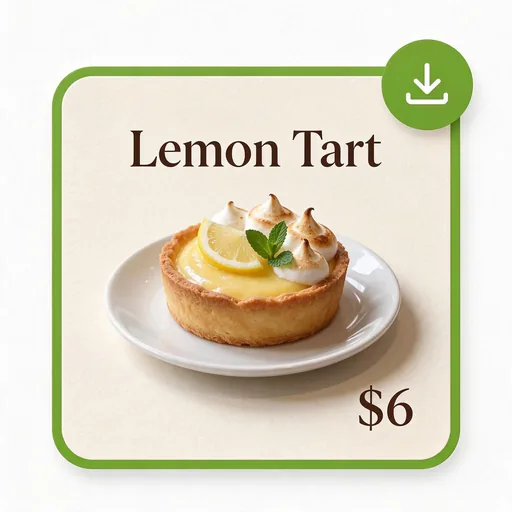
  3. A menu card with the same lemon tart, the title Lemon Tart and the price $6, with a download button.
    Step 03

    3. Check the text, then download

    Read every word at full size. If one label is off, upload the result and ask to fix only that word. Switch to 2K for the version you print.

Who it helps

Who Uses the Seedream 5.0 Pro AI Image Generator

People whose images have to explain something, sell something or work in more than one language.

Teachers and course creators

Turn a lesson outline into a labeled diagram or a one-page summary poster without an evening spent in slide software.

Online sellers

Make listing images that show the product with its key selling points around it, in the language of each marketplace.

Marketers running campaigns abroad

Produce the same banner in several languages with a matching layout, then send each one to a native speaker for a final check.

Consultants and founders

Create a clear process chart or concept visual for a pitch deck or report when stock images do not fit the idea.

Restaurants and cafes

Make menu cards and price boards from a photo of the dish, and update one price by asking to change only that line.

Designers handling client feedback

Mark the client's notes directly on the draft, let the model apply them, and refine the result in your usual tools.

Infographics · Multilingual text · Marked edits

Create Infographics and Posters With Seedream 5.0 Pro

Start from a prompt or your own photo, put the exact words in quotes, and download a 2K image ready to print or post.

Seedream 5.0 Pro FAQ

Answers about choosing a Seedream model, text-heavy images, marked edits, languages, resolution, credits and commercial use.