Models

Images (Optional)

Prompt
0/4096

Not sure what to write? Try an example:

MiniMax H3 Image

Generate native 4K visuals, combine multiple reference photos into one cohesive scene, and relight real spaces directly in your browser.

Bold 3D magenta-to-coral metallic lettering reading MiniMax H3 Image hovering above a sleek concept hypercar speeding around a sunlit coastal highway curve.
Model highlights

MiniMax H3 Image Edit and Generation Examples

Switch tabs to see how native 4K detail, multi-reference fusion, and commercial typography work in real creative tasks.

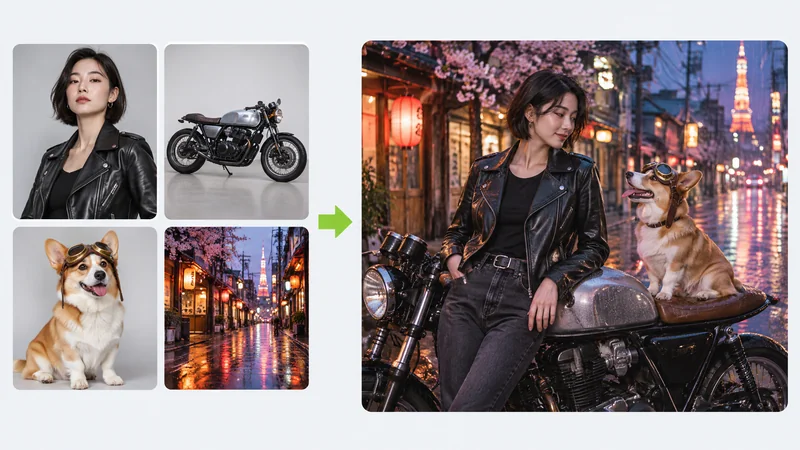
A 2x2 grid of four reference photos showing a woman in a black leather jacket, a silver cafe racer motorcycle, a corgi wearing aviator goggles, and a rainy neon Tokyo street combined into one cohesive cinematic night photo.

Fuse multiple reference photos into one cinematic frame

Upload separate photos of a person, a motorcycle, a pet, and a night street backdrop. The model aligns scale, neon reflections, and camera perspective so all four sources read like a single film still.

  • Keeps faces, pets, vehicles, and street lighting consistent in one frame
  • Matches wet reflections and shadows across all combined subjects
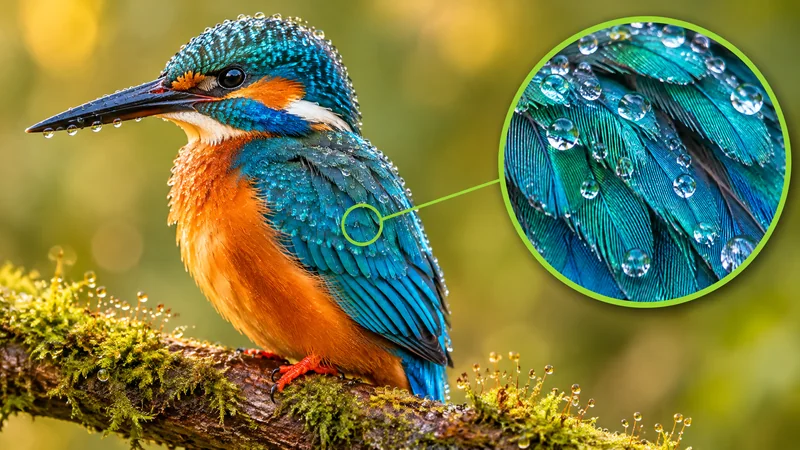
A macro photograph of a turquoise and orange kingfisher covered in morning dewdrops on a mossy branch, with a green circular zoom inset highlighting razor-sharp feather barbs and water reflections.

Native 4K macro clarity built for deep crops and print

Generate fine textures straight at high resolution instead of relying on soft post-upscaling. Iridescent feathers, tiny water droplets, fabric weave, and architectural surfaces stay sharp when inspected close up.

  • Renders individual feather barbs, dewdrops, and fine textures without upscaling
  • Holds optical edge clarity even when cropped or zoomed in closely
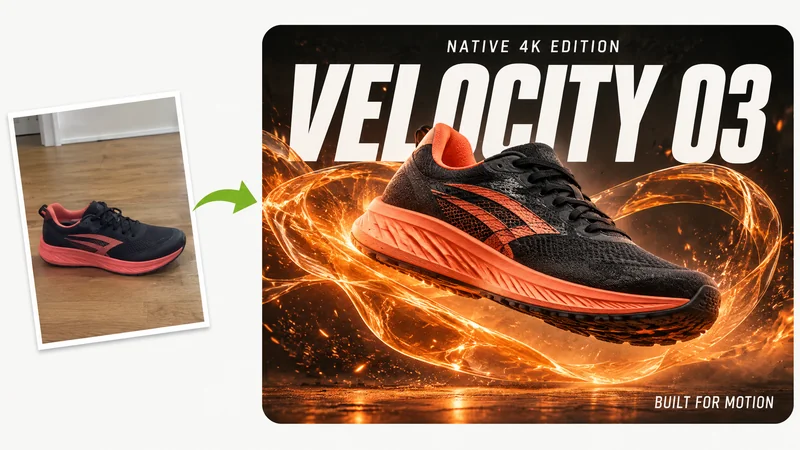
A casual floor snapshot of a black-and-coral running sneaker transformed into a dynamic dark-studio 4K campaign poster reading VELOCITY 03, NATIVE 4K EDITION, and BUILT FOR MOTION.

Turn casual product shots into 4K typography posters

Drop in a plain phone photo of your product and describe the campaign mood plus exact headline wording in quotes. Display text integrates cleanly with foreground motion and lighting.

  • Turns a casual product snapshot into a depth-layered commercial key visual
  • Spells bold display titles and supporting lines cleanly on the first run
Three steps

How to Use MiniMax H3 Image Online

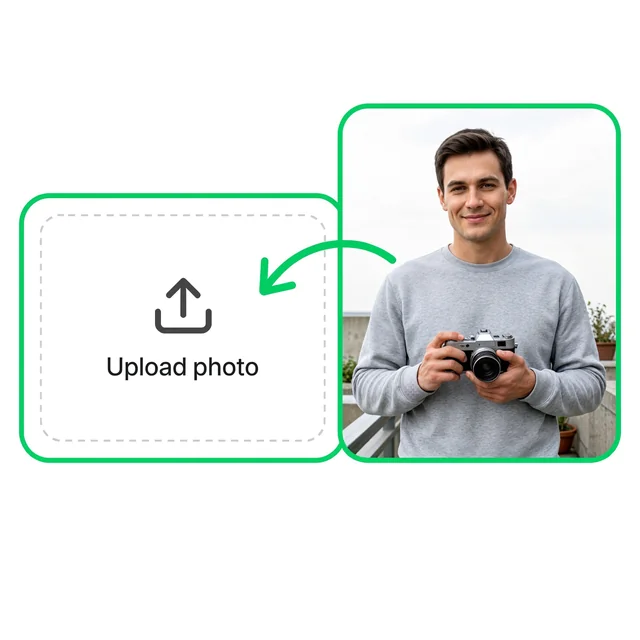
  1. A casual balcony portrait of a man in a gray sweatshirt holding a vintage film camera moving into the upload box.
    Step 01

    1. Upload reference photos or start from text

    Add a clear portrait, product shot, or several items you want to combine. Leave the upload area empty if you want to generate from a text prompt alone.

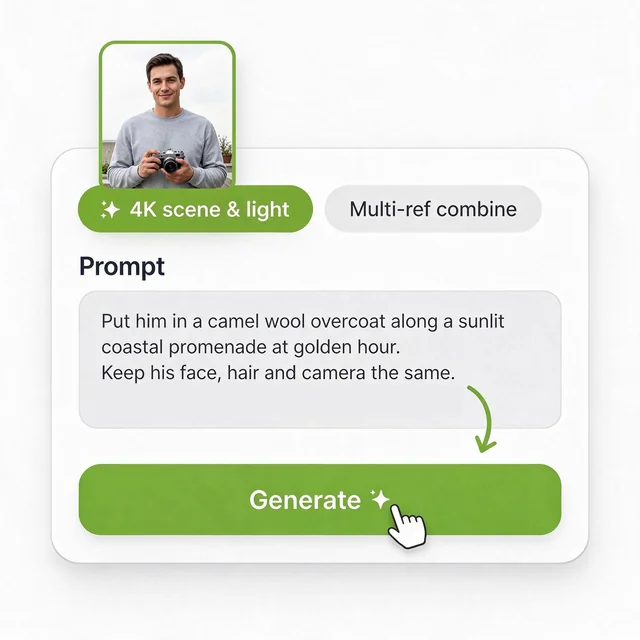
  2. A prompt card with the 4K scene & light preset selected, a thumbnail of the man with his camera, the editing prompt, and a cursor clicking Generate.
    Step 02

    2. Specify what changes and what stays locked

    Pick a preset or describe the new wardrobe, backdrop, and lighting while naming the details to keep intact, such as face, hair, and camera. Start at 2K to test your prompt.

  3. The same man holding his film camera now wearing a camel wool overcoat along a sunlit coastal promenade at golden hour, with a green download badge.
    Step 03

    3. Review details and export in 2K or 4K

    Inspect facial consistency, hands, and lighting transitions. Once the prompt hits the mark, switch to 4K for your final high-resolution download.

What Is MiniMax H3 Image?

MiniMax H3 Image is MiniMax's dedicated image generation and editing model released in November 2026 alongside the H3 family. Unlike general models that rely on a separate upscaling pass to reach print resolution, H3-Image renders crisp 2K and native 4K visuals in one step from a text prompt or uploaded reference photos. It handles both text-to-image creation and multi-reference editing through the same workspace, keeping faces, objects, materials, and typography coherent across complex scenes. Using it online here gives you direct browser access with no local hardware, model downloads, or node workflow setup required.

A casual kitchen photo of a glass pour-over coffee carafe transformed by MiniMax H3 Image into a sunlit studio shot on a walnut table, with the Tancky AI logo and site address.
Who uses it

Who Uses the MiniMax H3 Image Generator

Teams and solo creators who need sharp multi-reference compositions and print-ready frames straight from the browser.

Product stylists and online sellers

Place separate item photos together into cohesive lifestyle sets without renting studio props or booking repeat reshoots.

Architects and property marketers

Turn dull overcast site photos into warm golden-hour exterior views while preserving every structural line and material.

Print and graphic designers

Draft exhibition posters, lookbook covers, and hero banners at native 4K with clean headlines ready for layout review.

Portrait and lifestyle creators

Swap wardrobe, setting, and time of day around a reference portrait while keeping identity, expression, and handheld gear consistent.

Open-model researchers and testers

Evaluate prompts, multi-image edits, and 4K visual quality immediately online without maintaining local drivers or model checkpoints.

Campaign and social teams

Produce matching wide banners, square posts, and vertical stories in one visual language across fast launch cycles.

Core capabilities

What Stands Out in MiniMax H3 Image

Built for high-resolution production visuals, multi-object composition, and accurate scene relighting without local setup friction.

Native 4K detail in a single pass

Generate sharp 2K drafts or native 4K deliverables with fine fabric weave, architectural concrete texture, and legible poster typography straight from the model.

Multi-reference scene composition

Upload separate photos of a person, product, furniture piece, or decor item and compose them into one unified frame with matched perspective and shadows.

Scene relighting without moving geometry

Shift flat overcast exteriors or ordinary indoor snapshots to golden-hour sunlight or warm studio mood while keeping walls, framing, and proportions locked.

Browser workflow without local hardware

Test the model online from any computer or phone without downloading multi-gigabyte weights, configuring node graphs, or renting a dedicated GPU.

MiniMax H3 Image FAQ

Clear answers on model differences, browser access, multi-reference editing, 2K vs 4K selection, text accuracy, pricing, and privacy.

Native 4K · Multi-reference editing

Try MiniMax H3 Image Online Today

Start from a text prompt or up to four reference photos, test your idea at 2K, and export crisp 4K visuals right in your browser.