Your photo

PromptOptional
0/4096

Not sure what to write? Try an example:

Sheru Bhai Photo Generator

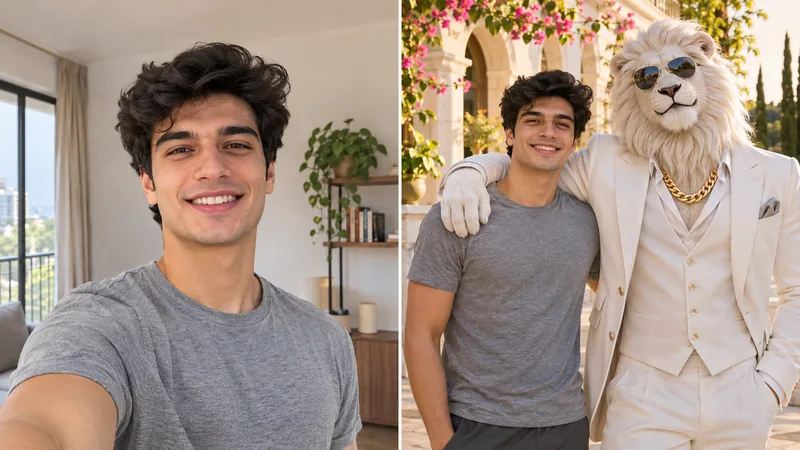
Upload a clear selfie, pick a ready scene preset, and pose beside Sheru Bhai in his signature white suit, sunglasses, and gold chain while keeping your real facial features intact.

Before and after Sheru Bhai photo showing a casual indoor selfie on the left and the generated portrait beside the white-suited lion outside a luxury hotel on the right.
Ready-to-Use Styles & Prompts

Sheru Bhai Photo Prompt & Style Gallery

Switch between four viral scenes below to compare everyday snapshots with finished results, or copy any tested prompt directly into your workflow.

Before and after comparison showing a casual selfie on the left and a Sheru Bhai photo white suit portrait on a sunny terrace on the right.

Sheru Bhai Photo White Suit Classic

Recreate the iconic sunlit villa terrace portrait. The tailored white three-piece suit, dark shades, and thick gold chain stay consistent while your facial structure and natural lighting match the scene.

  • Locks in the white lion mane, crisp suit, sunglasses, and gold chain
  • Matches warm outdoor daylight across both faces without cutout edges
Tested prompt

Photorealistic candid portrait photographed outdoors at golden hour. Subjects: the exact person from the uploaded photo standing relaxed beside Sheru Bhai, a tall anthropomorphic white lion with a full silver-white mane, wearing a tailored crisp white three-piece suit, dark aviator sunglasses, and a chunky gold chain necklace. Pose: both stand shoulder to shoulder on a grand marble terrace outside a luxury villa, the lion resting one confident hand in his jacket pocket while the person smiles naturally toward the camera. Camera: waist-up framing at eye level, 50mm lens, natural late-afternoon sunlight matching across both faces, soft architectural bokeh behind them. Keep: the uploaded person's exact facial bone structure, eye shape, skin tone, hairstyle, age, and clean natural complexion unchanged.
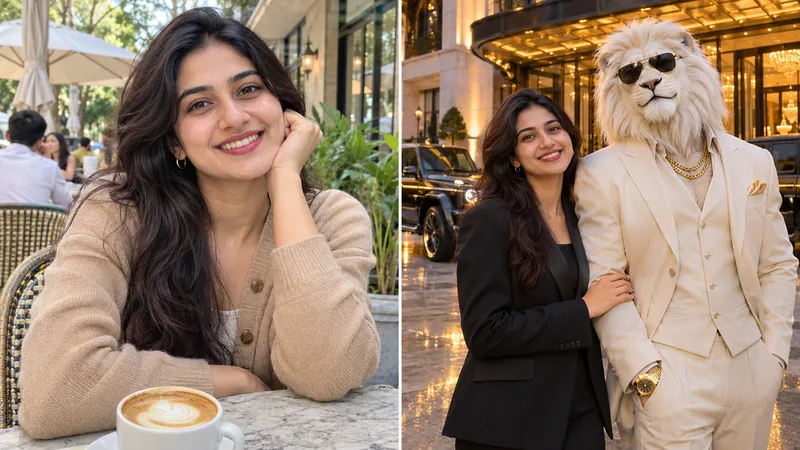
Before and after comparison showing a snapshot of a young woman on the left and her evening luxury hotel entrance portrait with Sheru Bhai on the right.

Viral Sheru Bhai Photo Prompt for Luxury Scenes

Built for the viral luxury car and grand hotel vibe popular across Reels and Shorts. Use this tested template directly or customize the car color, outfit, and time of day inside the editor.

  • Balances warm hotel entrance lights with realistic reflections on cars
  • Editable prompt lets you swap outfits or add a friend in seconds
Tested prompt

Photorealistic editorial street portrait in front of a luxury grand hotel entrance at dusk. Subjects: the exact person from the uploaded photo standing beside Sheru Bhai, an imposing anthropomorphic white lion wearing an ivory tailored suit, dark sunglasses, a gold wristwatch, and a layered gold chain. Scene: parked matte-black luxury SUVs and warm golden entrance lights glowing behind them on a polished stone driveway, creating authentic evening reflections. Pose: the person stands casually beside Sheru Bhai with relaxed shoulders and a confident smile, both illuminated by the same warm ambient entrance lighting. Camera: medium shot at eye level, natural lens depth, sharp focus on both faces. Keep: the uploaded person's exact face, expression, skin tone, hair, and build completely faithful to the original snapshot.

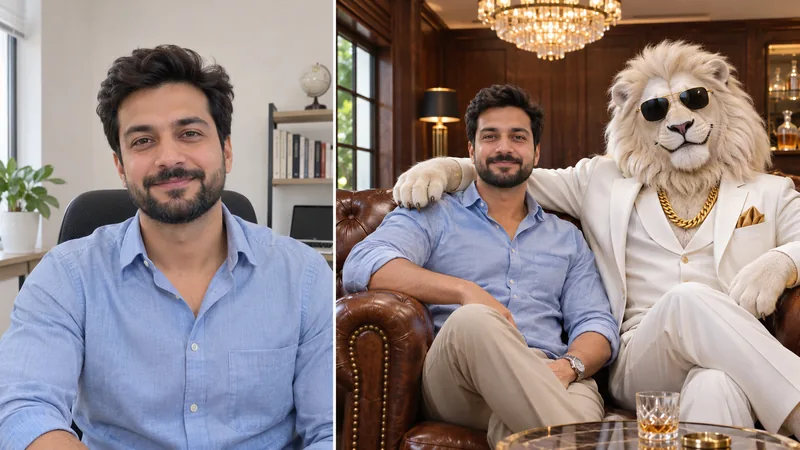
Before and after comparison showing a casual indoor portrait on the left and a crisp 4K VIP lounge sofa photo with Sheru Bhai on the right.

Sheru Bhai Photo 4K VIP Lounge Portrait

Produce a sharp high-definition portrait inside a wood-paneled lounge. Fine white fur strands, tailored fabric weave, and genuine skin texture hold up cleanly even when zoomed in on large screens.

  • Fine mane fur detail, gold reflections, and crisp leather textures
  • Clean facial rendering without waxy skin smoothing or eye distortion
Tested prompt

Ultra-crisp high-detail cinematic portrait inside a warm wood-paneled VIP lounge. Subjects: the exact person from the uploaded photo seated comfortably on a tufted leather sofa next to Sheru Bhai, a photorealistic anthropomorphic white lion with textured white fur, dark sunglasses, crisp white tailored suit, silk pocket square, and gold chain. Lighting: soft warm chandelier light from above and gentle window fill from the side, producing matching highlights on the lion's mane, the leather sofa, and the person's face. Camera: medium close-up at eye level, crisp focus across both subjects, natural cinematic color grading without heavy smoothing. Keep: exact facial identity, eyes, age, skin tone, and hairstyle of the uploaded person.

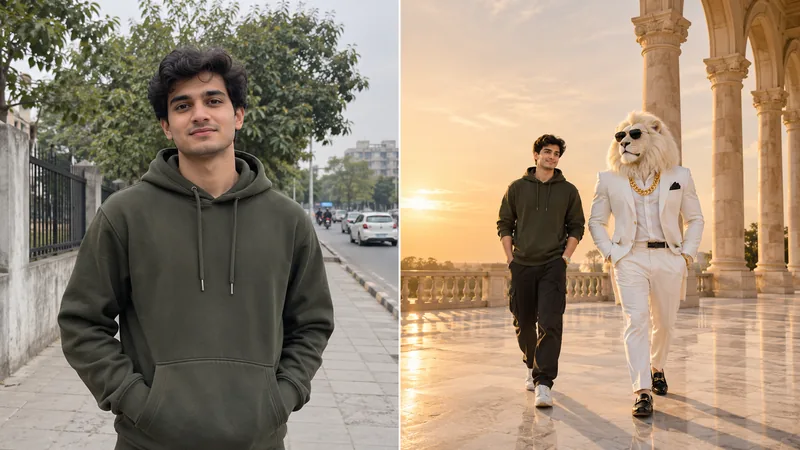
Before and after comparison showing an outdoor selfie on the left and a vertical Sheru Bhai photo wallpaper walking down a sunlit promenade on the right.

Sheru Bhai Photo Wallpaper for Reels & Lock Screens

Frame a vertical mobile background with balanced headroom for phone lock screens, WhatsApp Status, and vertical video thumbnails. Choose 9:16 in the ratio selector before generating.

  • Clean upper space leaves room for lock-screen clocks or video captions
  • Full-body framing keeps proportions natural between you and the lion
Tested prompt

Vertical full-body cinematic portrait composed for a mobile wallpaper and Reels cover. Subjects: the exact person from the uploaded photo walking side by side down a sunlit marble promenade with Sheru Bhai, a tall anthropomorphic white lion wearing a tailored white suit, dark sunglasses, polished loafers, and a heavy gold chain. Composition: vertical portrait framing with clean upper sky and warm architectural columns giving breathing room at the top for clock widgets or Reels titles. Lighting: warm golden sunlight casting coherent shadows on the marble floor. Keep: exact facial likeness, skin tone, hairstyle, and natural proportions of the person from the uploaded photo.

Simple Workflow

How to Make Sheru Bhai AI Photos in Three Steps

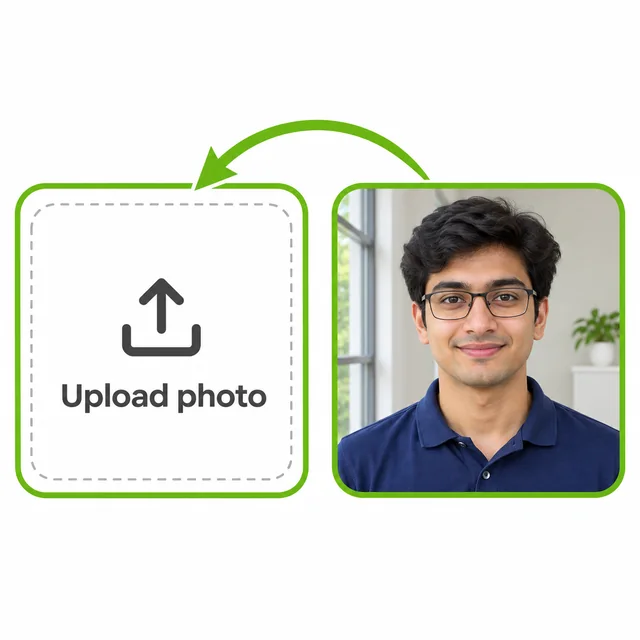
  1. Uploading a clear front-facing portrait of a young man into the upload drop zone.
    Step 01

    1. Upload a clear selfie or portrait

    Drop in a front-facing photo taken in even light. Avoid heavy sunglasses or blurry motion shots so your eyes, jawline, and hairstyle carry over accurately.

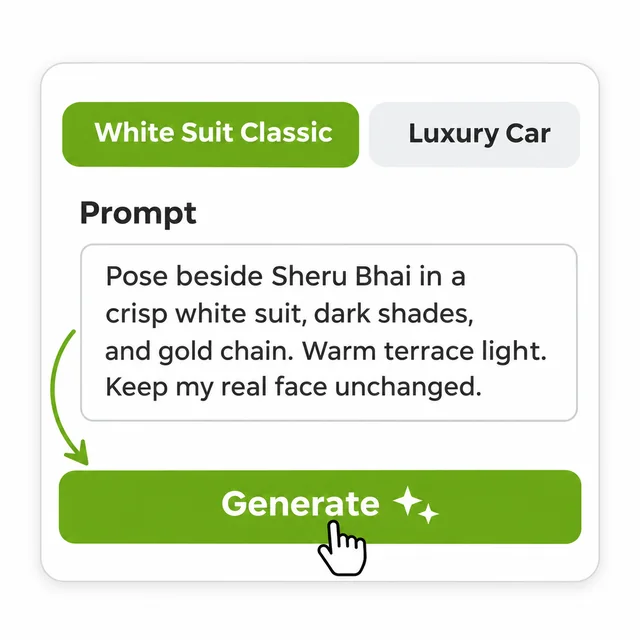
  2. Selecting the White Suit preset and reviewing the editable prompt before clicking Generate.
    Step 02

    2. Pick a Sheru Bhai preset or edit the prompt

    Click one of the built-in presets like White Suit Classic or Luxury Car, adjust your aspect ratio, and tweak clothing or background details if you want a custom twist.

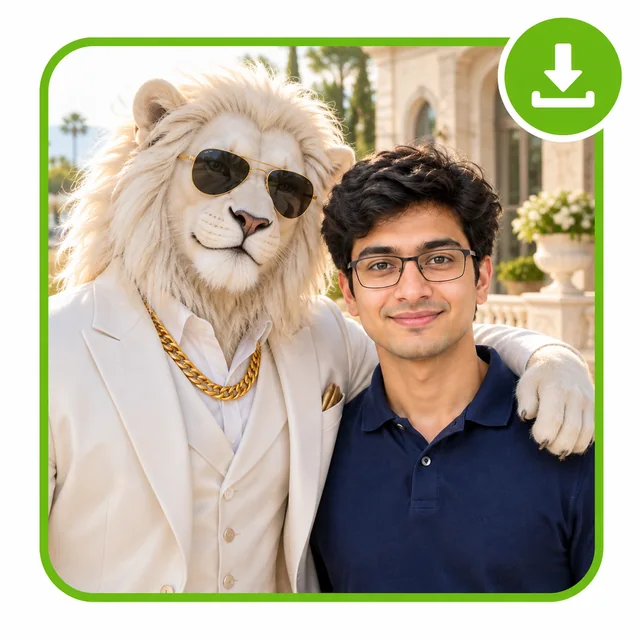
  3. Completed portrait of the uploaded man smiling beside Sheru Bhai in a white suit with a download badge.
    Step 03

    3. Preview and save your finished portrait

    Inspect facial likeness, lion fur detail, and lighting alignment, then download your high-resolution image ready to share on Instagram, Shorts, or WhatsApp.

What Is a Sheru Bhai AI Photo?

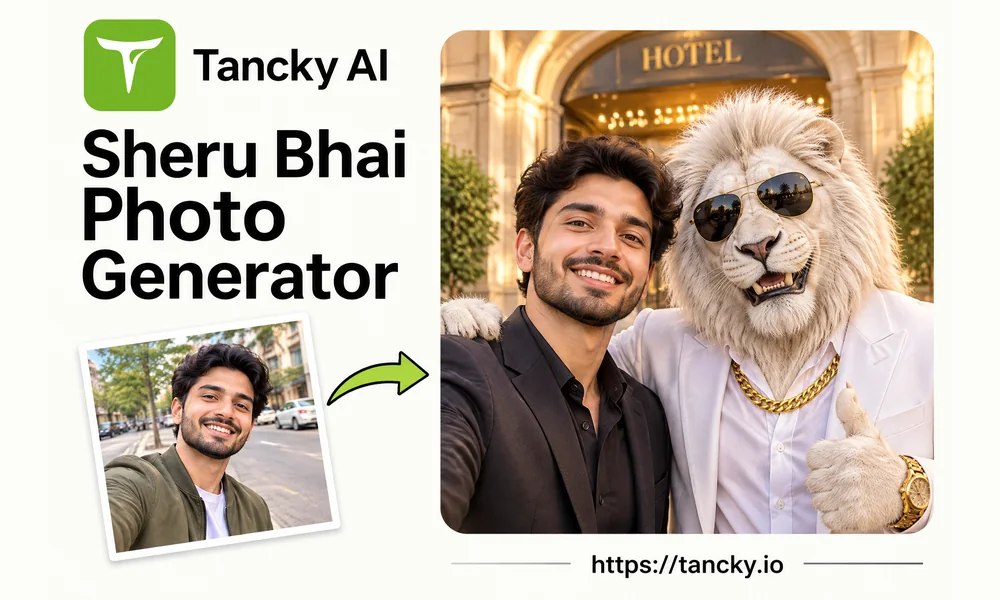
A Sheru Bhai AI photo places your real portrait beside the viral white lion character known across social media for wearing a sharp white suit, dark sunglasses, and a heavy gold chain. Popularized through comedic luxury reels and "Sheru Bhai ki photo" meme edits, the trend usually takes several failed prompt retries when done from scratch. This online workspace pairs calibrated character prompts with facial preservation so anyone can upload an everyday phone picture and produce a believable side-by-side portrait in one click.

Tancky AI Sheru Bhai photo showcase card displaying a casual selfie, a green arrow, and the finished portrait with Sheru Bhai above https://tancky.io.
Popular Ways to Use It

Creative Ideas for Your Lion Boss Portraits

Whether you are hopping on the latest meme wave or making a custom video thumbnail, pick the framing that fits where you plan to post.

Sheru Bhai single photo from any selfie

Upload one solo phone picture to create a clean Sheru Bhai single photo where you stand shoulder to shoulder with the white-suited lion in matching daylight.

Group shots with friends or family

Upload a group snapshot or separate portraits of friends so everyone poses together around the luxury SUV or lounge sofa with the lion boss.

Reels, Shorts, and story covers

Switch to a vertical 9:16 ratio to craft bold cover frames and story posts that match the exact visual style trending across short-video feeds.

Funny group-chat and birthday pranks

Surprise a friend by turning their casual candid into an over-the-top luxury auction cameo alongside Sheru Bhai for WhatsApp groups and birthday posts.

Eye-catching social profile pictures

Use a 1:1 square crop with waist-up framing so your face and the lion's shades stay clear and readable even inside tiny profile circles.

Sheru Bhai photo image lock screens

Export a crisp vertical portrait with clean negative space near the top edge so the lock-screen clock and notifications never cover faces.

Built for Clean Results

Why Create Your Lion Boss Portrait Here

Generic prompt copy-pasting often distorts faces or turns the lion into a cartoon. This tool keeps both subjects grounded in one realistic photograph.

Preserves your real face and skin tone

Generation anchors on your original bone structure, eyes, hair, and natural complexion instead of pasting a plastic look-alike face.

Consistent white lion suit and details

Built-in presets lock in the iconic silver-white mane, crisp tailored white suit, dark sunglasses, and gold chain without trial-and-error prompting.

Instant browser workflow with free trial

Works directly on mobile and desktop browsers with no app install. New accounts receive starter credits to test results before upgrading.

Private uploads you control

Your uploaded selfies and finished portraits stay visible only to you, are never showcased publicly or used for public AI training, and can be deleted anytime.

Sheru Bhai Photo FAQ

Practical answers on photo selection, keeping the lion's look consistent, aspect ratios, and privacy.

Free Trial • Ready Prompts Included

Ready to Create Your Sheru Bhai Photo?

Upload your selfie, pick a white-suit or luxury scene preset, and download your custom portrait in seconds.